Parivar Pehchan Patra · Registration Guide 2026
Haryana Family ID Registration – Apply for PPP Online
Every family living or working in Haryana needs a Parivar Pehchan Patra (PPP), also called the Family ID. Registration is completely free and gives your family a unique 8-digit Family ID required for pensions, ration, scholarships, Ayushman Bharat and more than 500 Haryana government schemes. This guide explains exactly how to register online, step by step.
📝 Free Registration 🆔 8-Digit Family ID 🏛️ 500+ Schemes
Last updated: 30 September 2026 · Reviewed by the Haryana Family ID research team against official PPP sources.
What is Haryana Family ID Registration?
Haryana Family ID registration is the process of creating your Parivar Pehchan Patra on the official PPP portal run by the Government of Haryana. Your family details are linked with Aadhaar and stored in the state Citizen Resident Information Database (CRID). Permanent residents receive a permanent 8-digit Family ID, while families living outside Haryana receive a 9-digit temporary ID that starts with the letter T.
You only need to register once. After your Family ID is created, the same number is used every time you apply for a government scheme, so you never submit the same documents again.
Haryana Family ID Registration at a Glance
A quick overview before the full step-by-step process:
- Scheme: Parivar Pehchan Patra (PPP), also called Family ID Haryana
- Launched by: Government of Haryana
- Who must apply: Every family living or working in Haryana
- Registration fee: Completely free
- ID issued: 8-digit permanent ID, or a 9-digit temporary ID starting with T
- Processing time: 10 to 30 days after submission
- Official portal: meraparivar.haryana.gov.in
Why Register for Family ID Haryana?
The Family ID is the single most important document for accessing government benefits in Haryana. Registering once links your whole family to the state database, so you are automatically considered for the schemes you qualify for.
- One Family ID for your entire household
- Automatic eligibility for pensions, ration, scholarships and subsidies
- Less paperwork – no need to submit the same documents again and again
- Direct benefit transfers to your linked bank account
- A single verified record recognised across all Haryana government departments
Who Needs to Register for Family ID Haryana?
Permanent Residents of Haryana
Every family permanently residing in Haryana must register to receive their 8-digit Family ID. It is now mandatory for accessing almost all state welfare schemes and subsidies.
Non-Resident and Temporary Families
Families living or working outside Haryana can also register and receive a 9-digit temporary Family ID starting with T, which lets them access the Haryana schemes they are eligible for.
Documents Required for PPP Registration
Keep these ready before you begin. Having them handy makes registration quick and helps avoid rejection:
- Aadhaar cards of all family members (mandatory)
- The family head Aadhaar-linked mobile number for OTP
- Age proof such as a birth certificate or matriculation certificate
- Address proof such as an electricity bill or ration card
- Income and caste certificate where applicable
- Bank passbook and PAN card if available
How to Register for Family ID Haryana – Step by Step
Follow these nine steps to complete your Haryana Family ID registration online. Screenshots are included for the main stages so you know exactly what to expect. Click any screenshot to enlarge it.
STEP 1
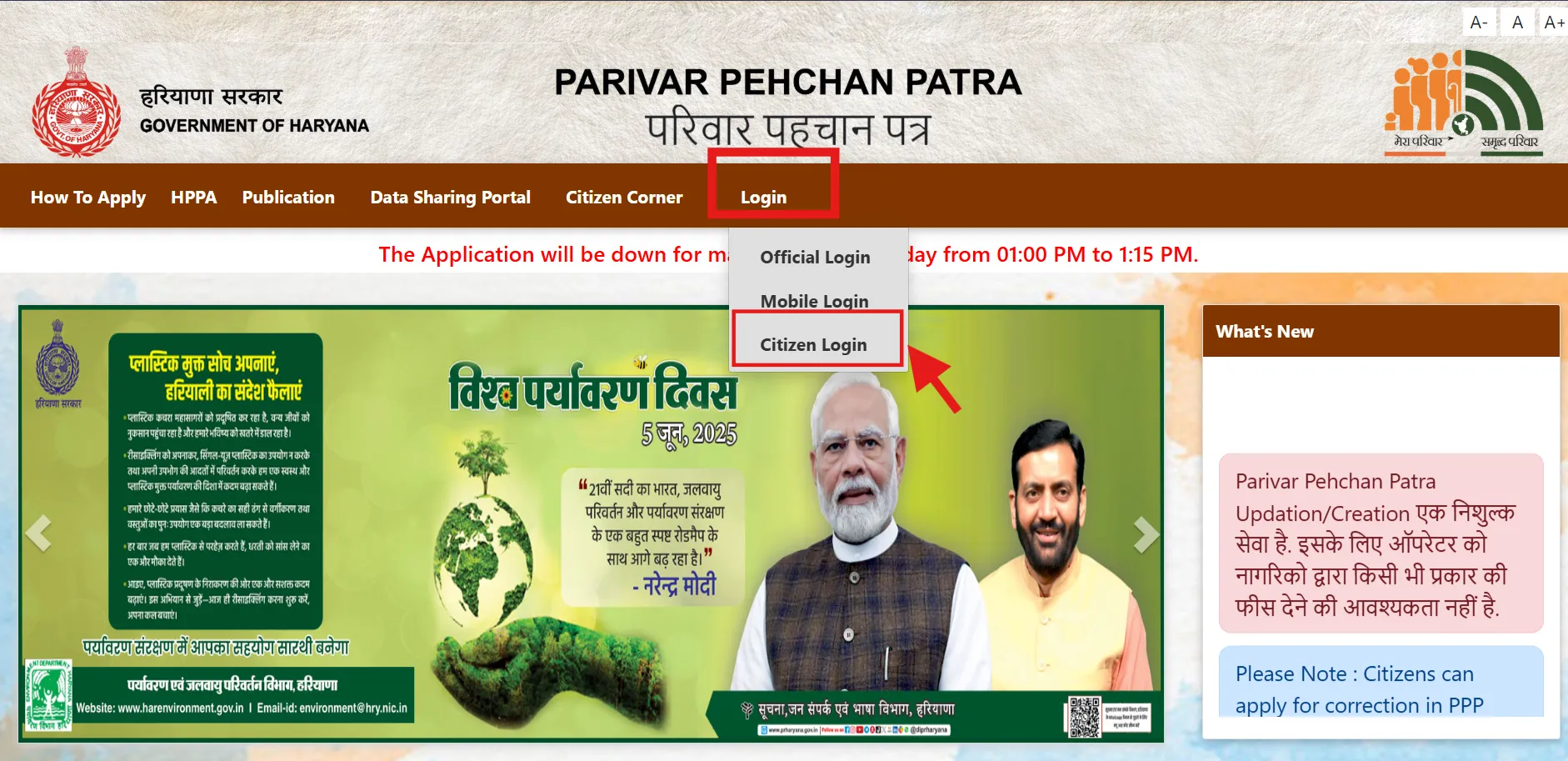
Open the Official PPP Portal
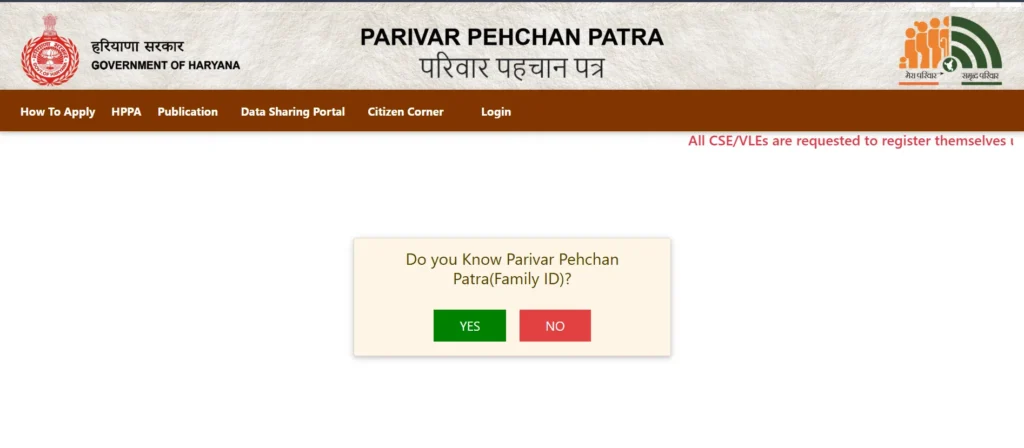
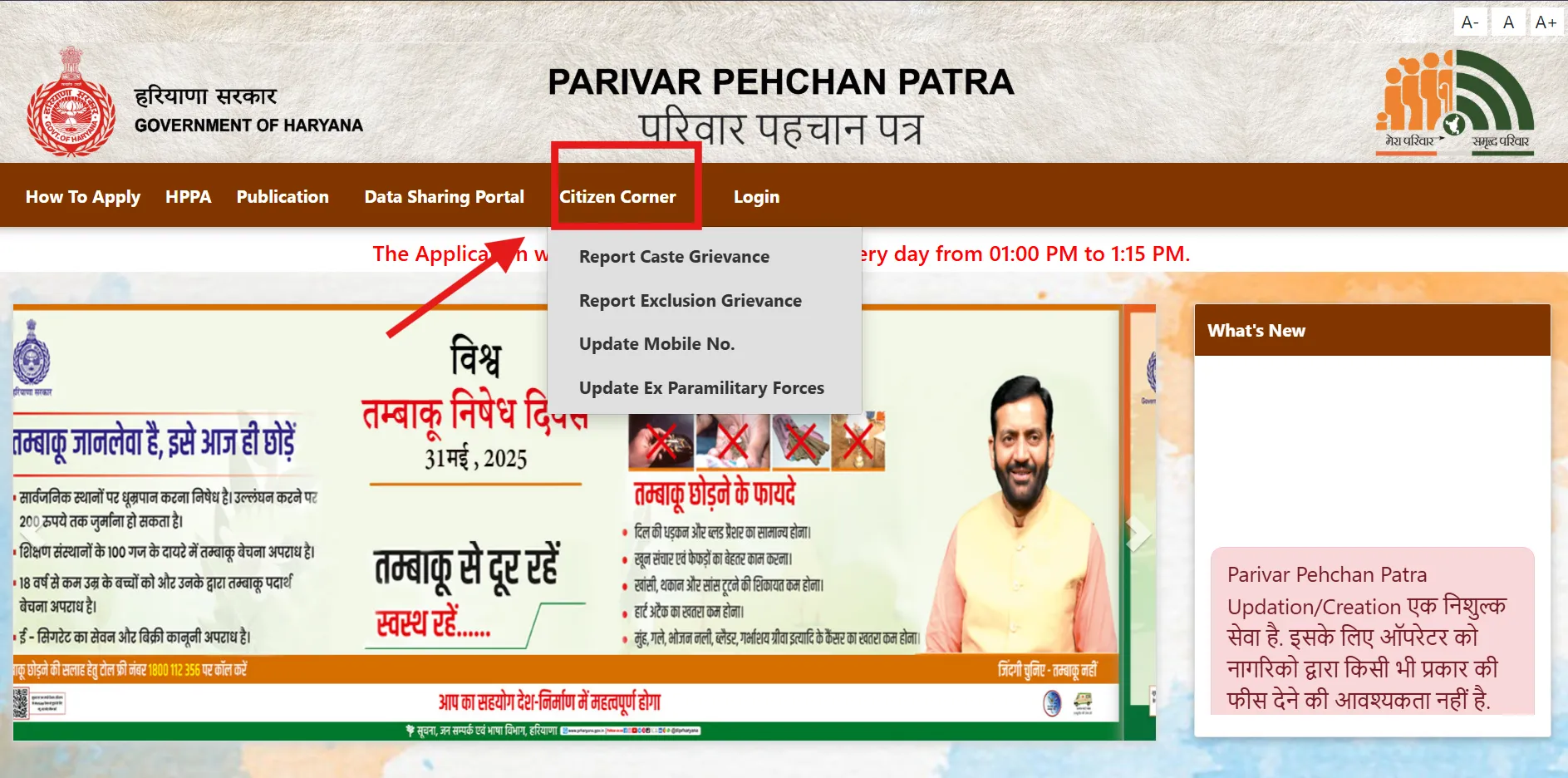
Go to the Citizen Corner at ppp-office.haryana.gov.in and click Citizen Login. Always check the address ends in haryana.gov.in – several lookalike sites copy the design of the official portal.
🔗 https://ppp-office.haryana.gov.in/
STEP 2
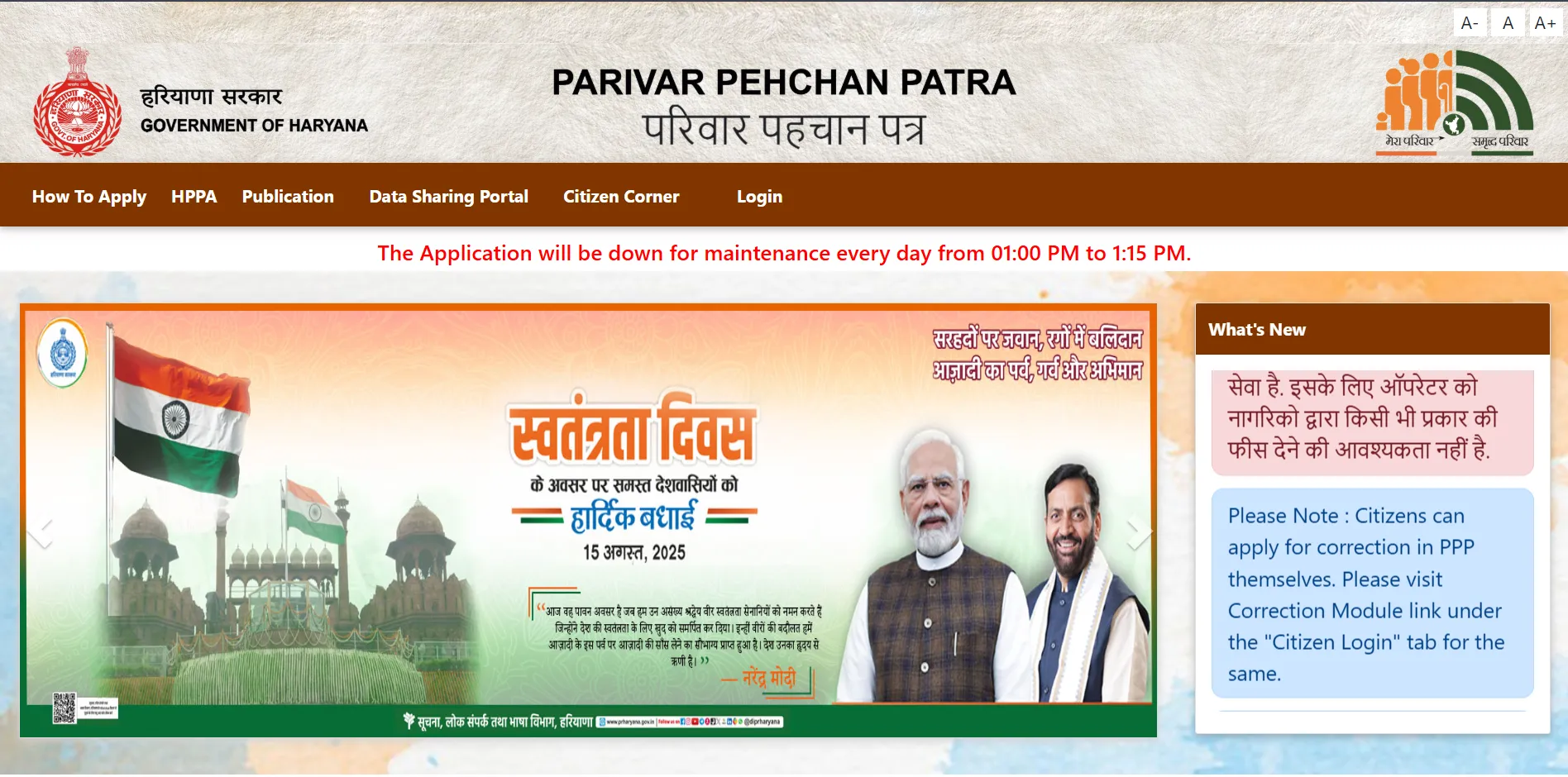
Choose New Registration
When asked “Do you have a Family ID?”, select No and choose the option to create a new Parivar Pehchan Number (PPN).
STEP 3
Enter the Aadhaar Number
Enter the Aadhaar number of the head of the family. An OTP is sent to the mobile number linked with that Aadhaar.
STEP 4
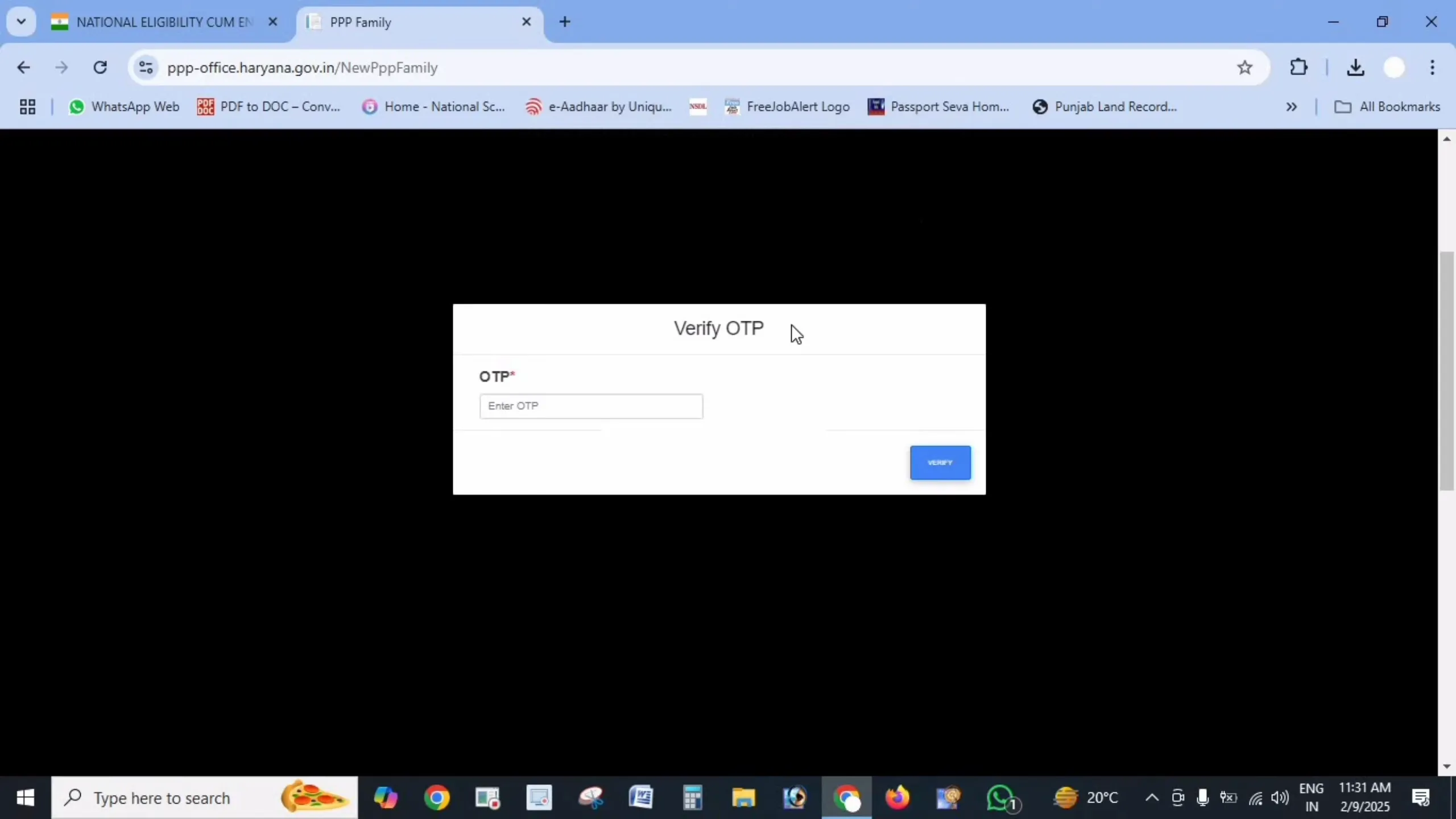
Verify the OTP
Enter the OTP to verify Aadhaar. The name and date of birth of the family head are fetched automatically from UIDAI records.
STEP 5
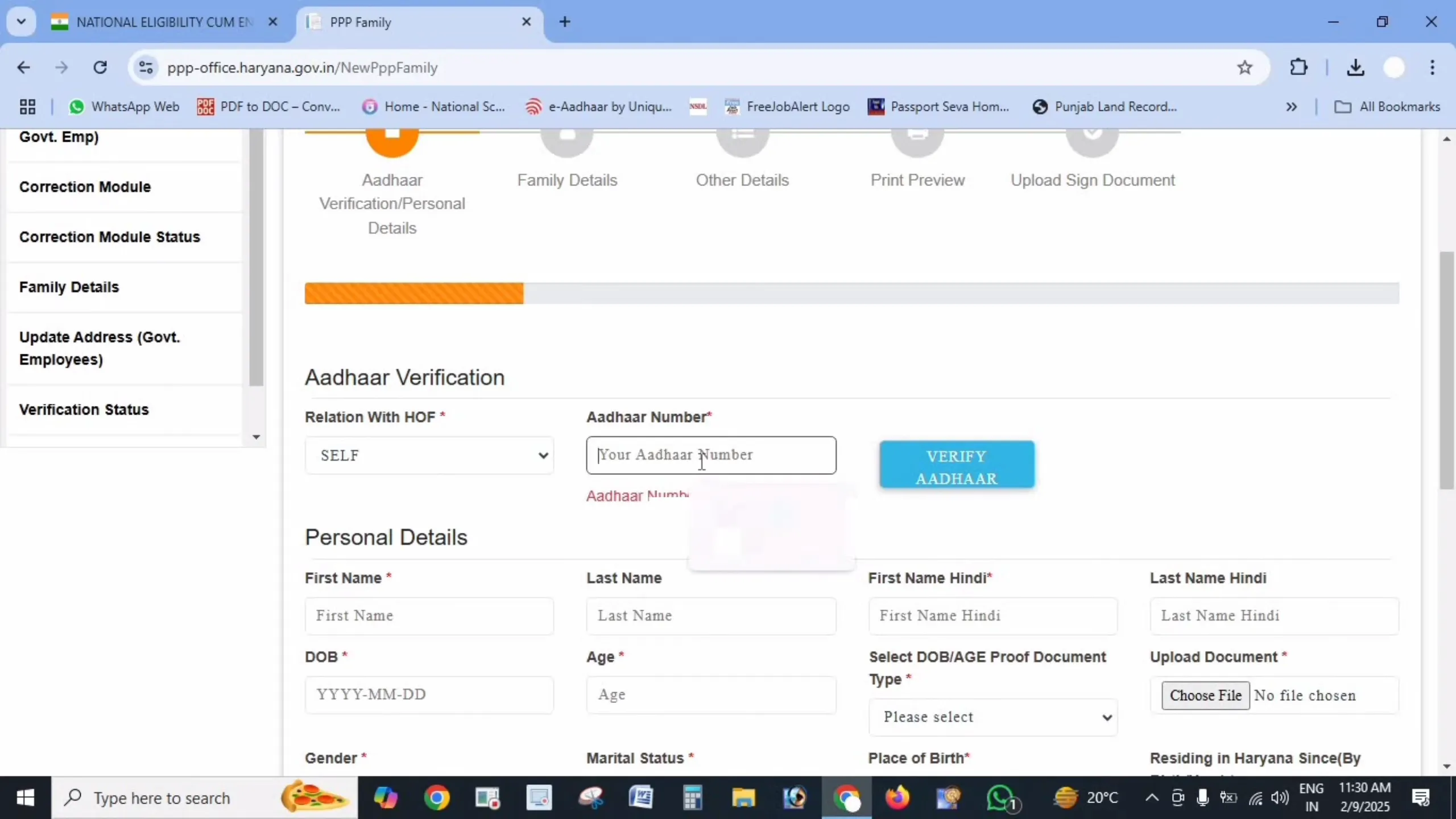
Fill in Personal Details
Complete every field – name in Hindi, date of birth with proof, gender, marital status, place of birth, mobile number, and annual income with its source.
STEP 6
Upload Documents
Upload clear PDF documents under 200 KB each, including Aadhaar cards, age proof, address proof and income or caste proof where applicable.
STEP 7
Add Family Details
Add every family member with their Aadhaar number, name in English and Hindi, and date of birth. Enter your full address with property ID and ownership status.
STEP 8
Check and Submit
Review all details carefully – a small mismatch with Aadhaar is the most common reason applications are rejected. Then click Submit.
STEP 9
Save Your Temporary Family ID
You will receive a temporary Family ID starting with T. Save it or take a screenshot to track your application until your permanent 8-digit Family ID is issued.
Common Registration Problems and Fixes
OTP not received
The family head Aadhaar may not be linked to an active mobile number. Confirm the registered number, ensure it has network, and wait a minute before requesting a new OTP. If it still fails, update it at an Antyodaya Saral Kendra or CSC.
Aadhaar verification error
Recheck the Aadhaar number you entered. If the error continues, your Aadhaar details may need correction at an Aadhaar centre.
Document upload fails
Confirm each file is in PDF format, under 200 KB, and clearly readable. Compress the file if needed and upload again.
Cannot add a family member
Ensure the member details match their Aadhaar exactly. You can submit with the available members and add the remaining ones later through the update process.
What Happens After You Register
After you submit, your application is verified by the local authorities. This usually takes 10 to 30 days. During this time you can track your application using your temporary ID.
Once approved, your permanent 8-digit Haryana Family ID is issued. You can then log in, download your Family ID card, and start using it to apply for government schemes.
Related Family ID Guides
Important Official Links
Disclaimer: haryanafamilyid.com is a private informational website and is not affiliated with the Government of Haryana. All official Family ID registration must be done only on the official portals meraparivar.haryana.gov.in and ppp-office.haryana.gov.in.